
The Top Digital Tools to Help You Track Group Projects and Deadlines
by Divya
5/28/20265 min read


In the high-stakes environment of graduate education and professional certifications, managing your workload is a logistical hurdle. The challenge intensifies when you mix individual deadlines with complex group projects, all while coordinating with team members who work different schedules across various time zones.
Relying on scattered text threads, long email chains, and messy shared documents is a fast track to missed deadlines and group conflict. To stay on top of everything, you need an organized, digital workspace. This comprehensive guide evaluates the best study and project management apps available. It highlights their core features, pricing structures, and practical uses to help you streamline your workflow and keep your academic projects on track.
The Modern Student's Digital Tech Stack
A successful academic strategy does not rely on a single app. Instead, it uses a small, integrated set of specialized tools that work together seamlessly.
Trying to use a complex project management tool for simple daily reminders causes unnecessary confusion. On the flip side, using a basic to-do list app to coordinate a major group consulting project leads to missed handoffs and communication breakdowns.
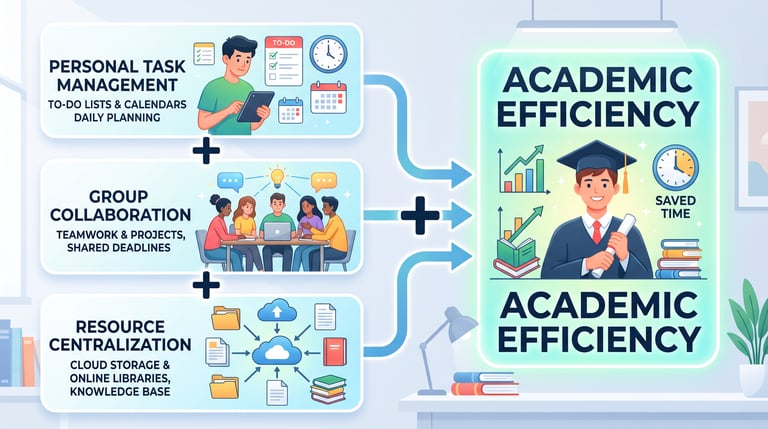
To build an efficient digital setup, you must separate your tools into three distinct categories:
Personal Task Trackers: Applications designed to manage your personal schedule, daily tasks, and micro-deadlines.
Group Project Hubs: Shared platforms that allow teams to assign responsibilities, track milestones, and view project timelines.
Resource Centralization Tools: Repositories used to store research papers, shared datasets, meeting notes, and project assets in one accessible place.
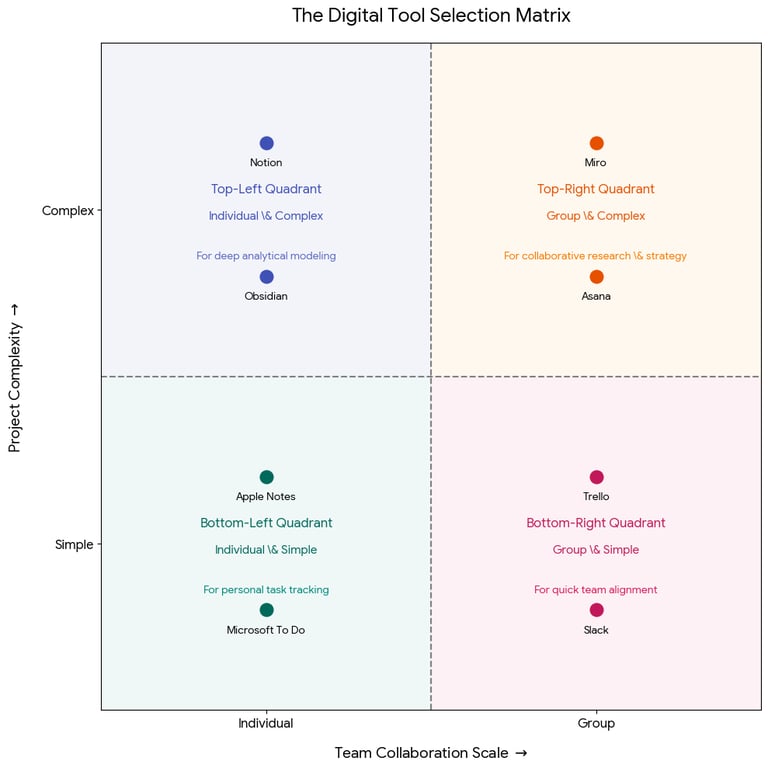
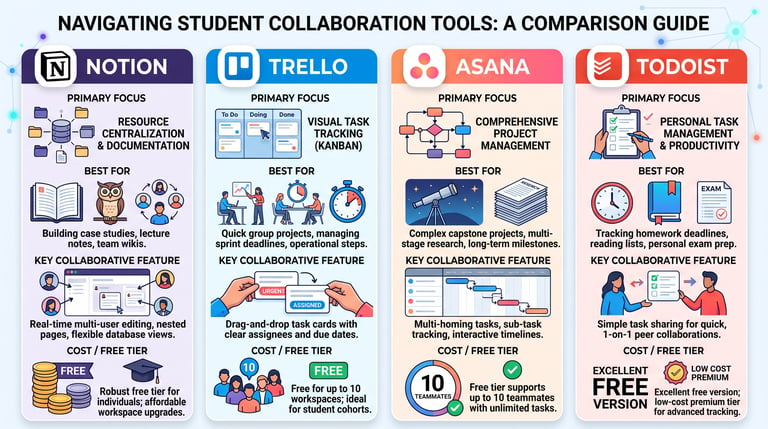
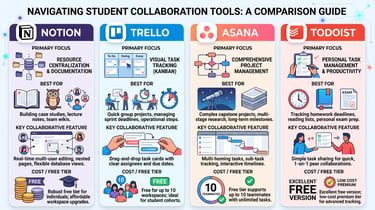
The Digital Tool Selection Matrix
Use this matrix to identify the right tool based on the complexity of your project and the size of your team.
Deep-Dive Analysis of the Top Study Apps
1. Notion: The Ultimate Knowledge Workspace
Notion is an all-in-one digital workspace that combines notes, databases, and project boards into a single customizable platform. For students, it serves as a central hub for all academic and group research assets.
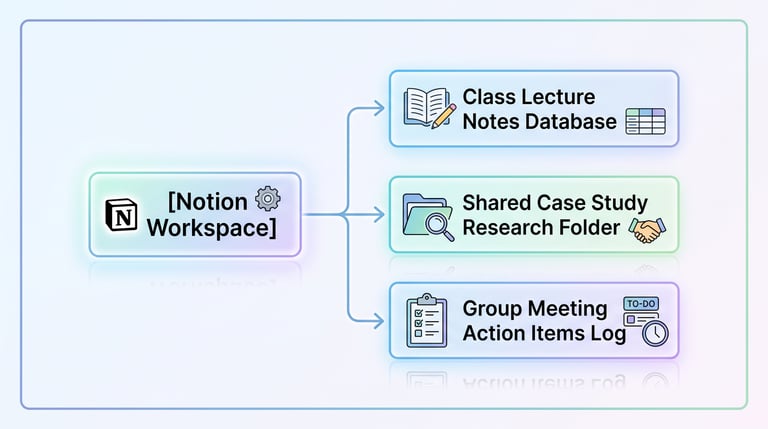
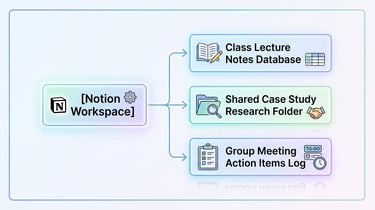
How to use it for group work: Create a shared workspace for your project team. Use the database feature to log all research sources, paste relevant interview transcripts, and draft sections of your report simultaneously.
The Standout Feature: Linked Databases. You can log a task in a central master list and display it across different pages as a Kanban board, a calendar, or a standard list. This allows team members to view the project data in whatever format they prefer.
2. Trello: Streamlined Visual Coordination
Trello is built around the Kanban framework, which visualizes work moving through different stages of completion. It simplifies project tracking by organizing tasks into visual columns, typically labeled To Do, In Progress, and Done.
How to use it for group work: When starting a group case study, break the grading rubric down into individual task cards (e.g., "Analyze Q3 Financials" or "Draft Executive Summary"). Assign each card to a team member and attach clear due dates. As work progresses, move the cards across the board so everyone can see the project's real-time status.
The Standout Feature: Card Checklists and Attachments. Inside each task card, you can add sub-task checklists, write comments, and attach relevant files or Google Drive links. This keeps all conversations and assets related to a specific deliverable in one easy-to-find place.
3. Asana: High-Capacity Project Tracking
For complex, multi-month initiatives like an MBA capstone or a graduate thesis, Asana offers the structural framework needed to keep large teams organized. It prevents miscommunications by clearly defining who is doing what by when.
How to use it for group work: Use Asana to map out your entire project timeline from start to finish. Break larger deliverables down into smaller sub-tasks. For example, a "Marketing Report" task can include sub-tasks for competitive analysis, target persona research, and proofreading, each assigned to different specialists on your team.
The Standout Feature: Task Dependencies. You can mark a task as dependent on another. If a team member cannot start writing the financial conclusion until the data analysis is complete, Asana clearly shows that link and alerts the writer as soon as the data is ready.
4. Todoist: Precision Personal Execution
While group collaboration is essential, you still need a way to manage your individual preparation work. Todoist is a fast, streamlined task manager designed to help you organize your daily personal schedule.
How to use it for personal study: Use Todoist to capture tasks the moment they come up, such as during a lecture or while reading. You can organize your tasks by course using separate projects and set recurring deadlines, like "Review financial accounting notes every Thursday at 7:00 PM."
The Standout Feature: Natural Language Processing. You can type a phrase like "Read Economics Chapter 4 every Tuesday at 6 AM morning p1" into the task bar. Todoist automatically schedules a recurring task for every Tuesday morning and sets it to Priority 1.
Step-by-Step System to Launch a Group Project
To ensure your team uses these digital tools effectively, execute this five-step setup system at the start of your next group project:
Step 1: Agree on Your Tools: Hold a brief 10-minute alignment meeting during week one. Ensure every group member downloads the chosen app and turns on notifications for project updates.
Step 2: Define the Final Milestone: Work backward from the official university deadline. Set your team's internal completion date 48 hours early to leave a safe buffer for formatting and unexpected delays.
Step 3: Break Down the Project Scope: Divide the assignment into distinct, manageable tasks. Avoid broad, vague tasks like "Work on marketing section." Instead, use precise actions: "Draft 500-word competitor analysis section for Company X."
Step 4: Assign Clear Ownership: Every task must be assigned to a single owner. If two people are equally responsible for a card, it often leads to confusion and delayed execution.
Step 5: Hold Weekly Status Checks: Avoid spending your live group meetings giving routine status updates. Instead, use your project board to check task progress beforehand. Use your live meeting time to brainstorm solutions for complex issues or resolve project bottlenecks.
Actionable Digital Management Checklist
Use this checklist at the start of each week to keep your academic apps organized and your project timelines accurate:
Review your upcoming calendar and sync your personal assignment deadlines with your project boards.
Update your active task cards, moving completed items to the "Done" column to keep your team informed.
Check for broken task links or unassigned dependencies on your group boards.
Clear out your personal inbox tracker in Todoist, sorting raw notes into their respective course folders.
Verify that all shared file links on your central workspace point to the most recent draft versions.
Adjust task due dates proactively if early research phases take longer than expected, keeping your team aligned.
Contact
Questions? Reach out anytime.
© 2025 BizSphere. All rights reserved.